27 Feb'26





The Salestio team is always working on improving the app. Today, we will share the monthly Salestio recap with the latest feature updates and news. If you want to see any specific features in Salestio, feel free to share your ideas with us: support@salest.io
Shopify
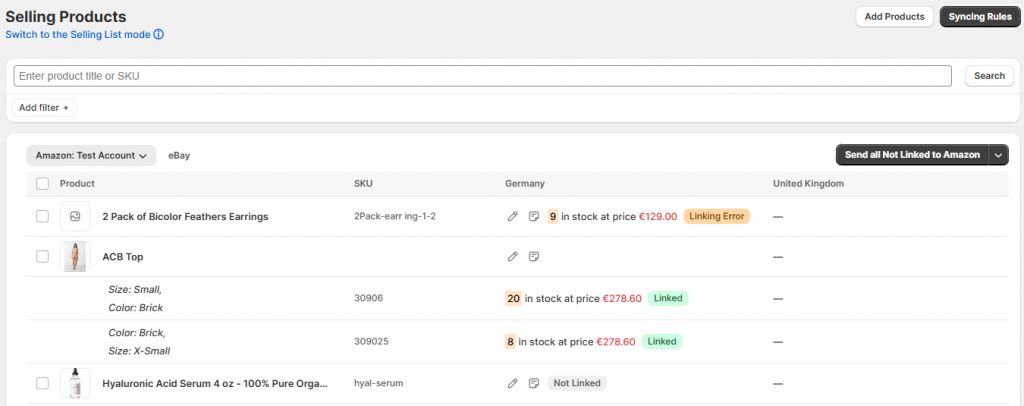
Selling Products view
Previously, we mentioned the new Selling Products view. The updated UI aims to streamline product management and make the app more accessible for new users. New UI is coming as the default option in the near future.
Upcoming livestream
If you want to learn more about the new features coming with the Selling Products view, tune in to our livestream and ask questions on March 25th:
Below are the main points we will be discussing:
- Add Shopify products to Salestio.
- Set up Listing Data for single products.
- Configure Sync Rules for products in bulk.
- Send products and review the details.
- Selling Products vs Selling Lists: which one is better in your case?
Check out the previous livestreams on YouTube:
Send product to eBay with Salestio
Send product to Etsy with Salestio
Search improvements on the Orders page
The Orders page has been adjusted to help sellers find the orders more easily. In addition to order IDs, you can now use customer names or SKUs included in the order.
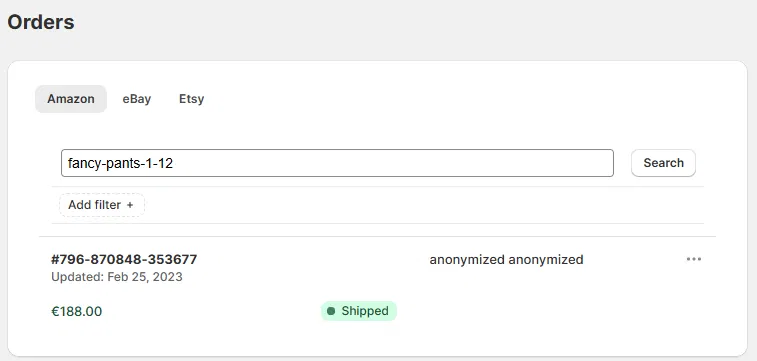
Additionally, sorting on the Orders page has been adjusted to display the latest imported orders at the top.
Delay option for Collection Mode
When the “Automatically export new products” is enabled in Collection Mode, new products are published right away by default. The new option lets sellers delay this action by a specified time:
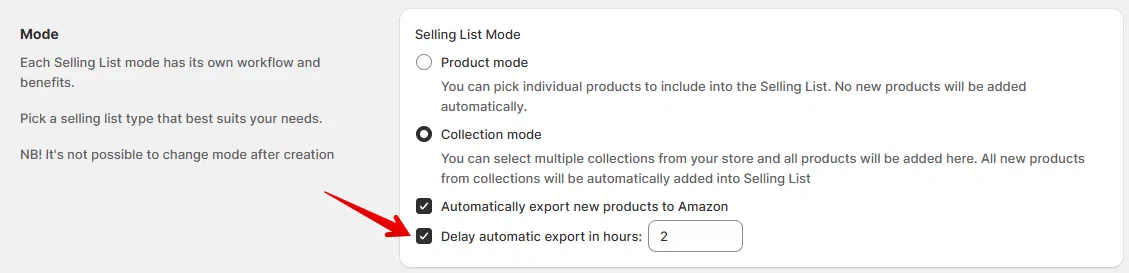
This option can be useful when adding new products to Shopify. Salestio receives metafield updates from Shopify every 4 hours, so sometimes the app might need some extra time to process all product details. Increasing the delay here can prevent situations when the product is published with incomplete information.
Shopify Metafields in Salestio: Overview
Updated onboarding experience
New Salestio users can enjoy a more tightly integrated onboarding. Salestio will help you connect your marketplace accounts, enable the key app features, and sync existing marketplace listings.

Support for Unlisted products
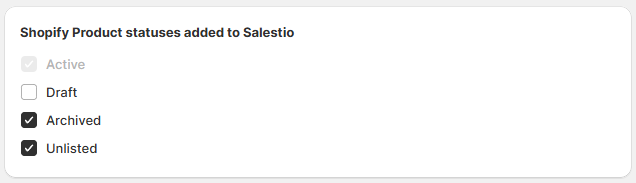
Salestio now supports the recently introduced Unlisted status in Shopify. It hides products from store search and collections, all sales channels, internet searches and Shopify Catalog—while still allowing access via a direct URL.
To include Unlisted products in the app, enable the option in Salestio > Settings.
Smart Rounding improvement
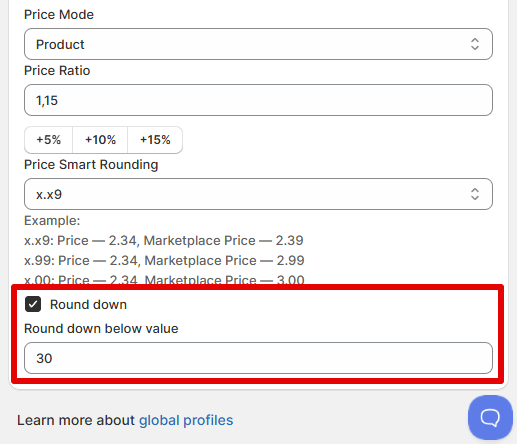
Smart Rounding settings just got more precision to help make your prices look exactly as you want. After the new update, you can set the cutoff point for rounding down manually. Adjust the settings in the Global Profile.
For example, to only round down prices below X.30, enable the round down option and set it to 30:
All platforms
Link active listings from the Selling List
Previously, connecting store products to active marketplace listings involved multiple steps on the Inventory page. After the update, you can use the “Send to eBay/Etsy” action in the Selling List. Salestio will automatically detect if there is a marketplace listing with the same SKU and link the product instead of creating a new one. We hope that this change will make the initial setup faster and easier.
Company name support
Imported Amazon orders will now include the company name (when present) for more clarity with shipping.
On the roadmap
The Ecwid Salestio app is currently in active development. Subscribe to be the first to try the app with Amazon, eBay, and Etsy.
Upcoming support for new marketplaces: Check the links below to get notified when Salestio supports more platforms:
The team is also working on a Google Shopping integration for Shopify. Stay tuned for more news.
If you are new to Salestio, check out the FAQ pages for Amazon, eBay, and Etsy integrations. Find out if the app is available for your store and get a Free 30-day Trial.