30 Jan'26





Our team is always working on the updates for the apps, so we want to keep you updated on the news. Today we have the first monthly update on the Salestio news.
Salestio made it to the finals of ecommercegermanyawards.com! This time at the E-commerce Germany Awards 2026, our team competes in the “Multichannel & Marketplace tools” category. We are truly grateful to everyone who has supported our team with their votes. Thank you! :heart:

Our apps received a bunch of new features and improvements this month. Here are the details:
All integrations
Extended support for car compatibility details on eBay
Previously, Salestio supported KTypes for specifying the compatibility of a car part for eBay. In some situations, this single field is not enough. Now, along with or instead of KType, sellers can add the full car details from the options below:
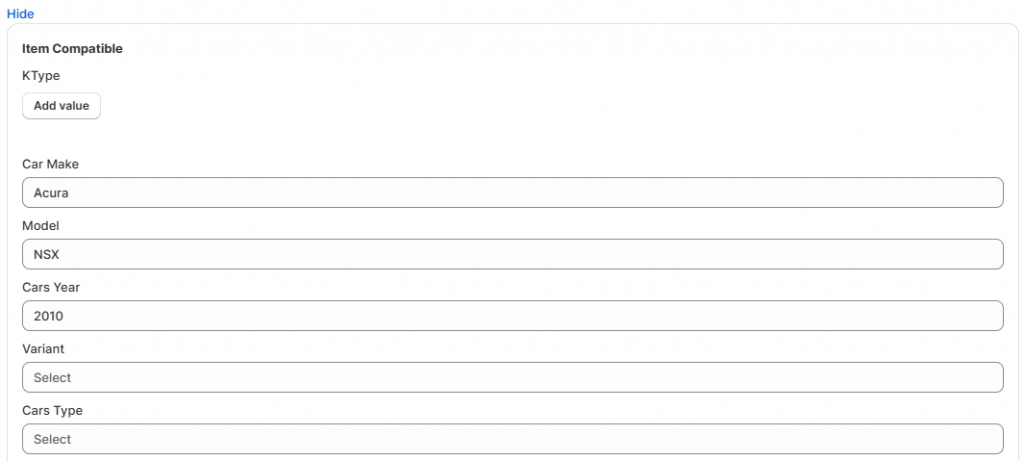
The car details and KType can be specified in the Creation Profile mapping > Item Compatible section.
Salestio for Shopify
Selling Products mode
Our team has been working on the new Selling Products view. When using the Selling Products view, there is no need to create Selling Lists. In this mode, products are presented in unified lists for each connected marketplace account.
Now the new mode is available for all users to try. Switch to it from the Selling Lists tab.
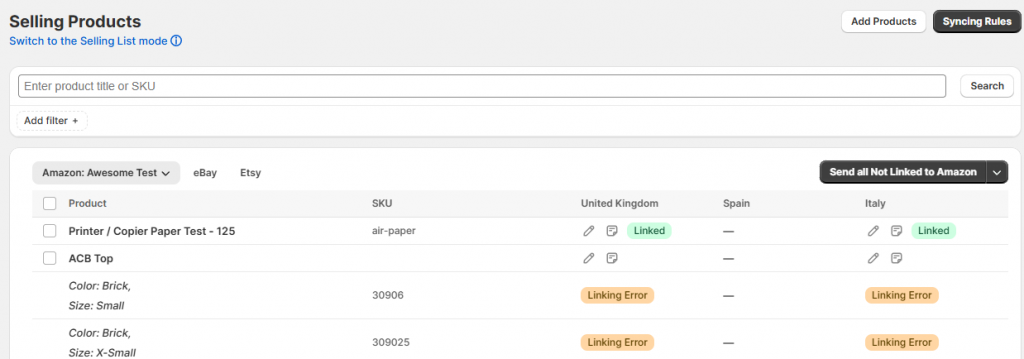
In this mode, you can add listing information in two ways:
- Specify it for individual products in the Listing Data section. This will apply only to the selected product.
- Save it as Sync Rules that apply automatically based on condition matching (similar to how matching in Creation Profiles works). Salestio can use the data from Sync Rules for multiple products.
The new mode will keep receiving more updates as time goes on. To learn more about how it works, check out the documentation article.
Expanded customization for Shopify Locations
It is now possible to select a specific Shopify Location for importing orders from each specific marketplace account. To customize, go to Salestio > Settings and pick your marketplace account in the sidebar. When the “Import orders…” option is enabled, you can select the Shopify Location for the imported orders. For Amazon, a separate location can be selected for FBM and FBA orders.
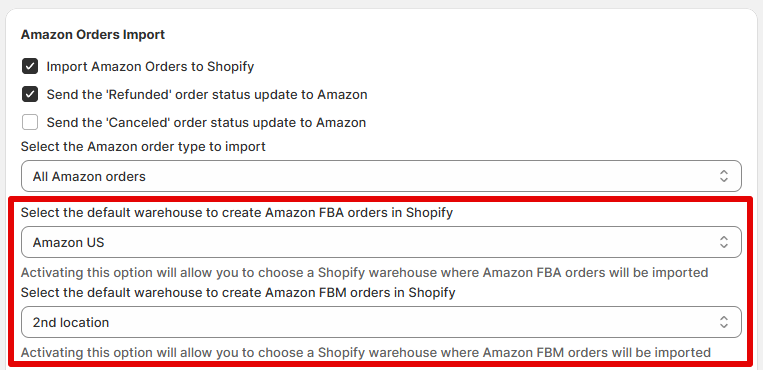
The option in the General Settings tab remains available. Locations from the specific account options will overwrite the global setting.
Related: Shopify Locations in Salestio
Improved app navigation
We have been working on making Salestio fit the Shopify design better. Notably, the navigation menu has been updated to include the full tab tree, and the confirmation dialogues have been adjusted to match the Shopify style.
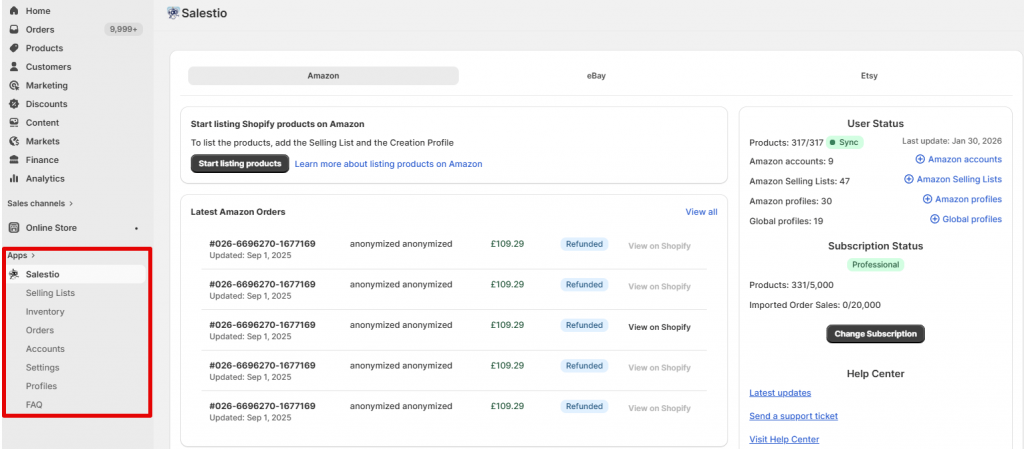
In addition to this, the navigation tabs for the different integrations got a new look. For example, if you use multiple integrations in Salestio and would like to review Orders, you can do so from one page without any extra clicks.
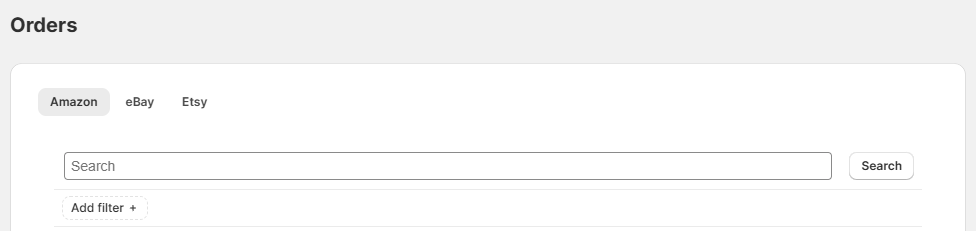
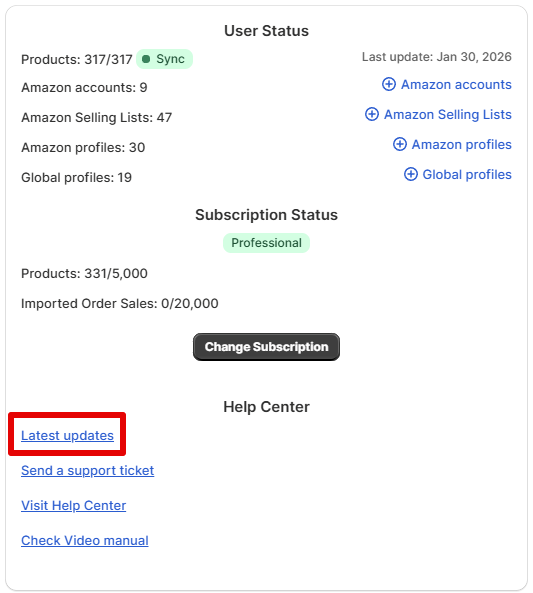
News on the app updates has been moved to the Help section on the Dashboard:
Salestio will keep receiving small updates to continue this trend.
Salestio for BigCommerce
More customization for BigCommerce-Amazon integration
To adjust the title, edit the Title field in the Creation Profile. You can add custom text, use the default [product_name], or add Custom fields from BigCommerce in the following format:
[custom_field('field_name')]
eBay status updates for BigCommerce stores
Order synchronization for BigCommerce, Shopware, and WooCommerce was improved to support more status updates. Whenever an order is canceled or refunded on eBay, Salestio will update the status in the E-commerce store to reflect that.
Multi-Store Sync and Product Import apps
The Multi-Store Sync app received a small update — every imported product will now get a “product-sync” tag to help sellers differentiate the items more easily.
For Product Import, the team is working on Amazon support. Stay tuned for the news!
eBay module for PrestaShop
The eBay PrestaShop module has been updated for version 9. To get beta access, feel free to message the team at prestabay@involic.com. More key updates below:
- Added an INVEBAY_FORCE_TAX_UPDATE variable to force the re-calculation of PrestaShop order tax after every eBay order update.
- Migrated to Hook actionUpdateQuantity for PrestaShop 8+.
- Fixed Invalid Cron token for multi-store.
- Fixed calculation for total_paid_tax_excl value for imported orders.
On the roadmap
New E-commerce platform: The team is working on the Ecwid app release. We are planning to support Amazon, eBay, and Etsy integrations from the start. Subscribe to get notified first when it’s released!
New marketplaces: Check the links below to get notified when Salestio supports more marketplace integrations:
The team is also working on a Google Shopping integration for Shopify. Stay tuned for more news.
New to Salestio? Check out the FAQ pages for Amazon, eBay, and Etsy integrations. Check if the app is available for your store and get a Free 30-day Trial.