BigCommerce Amazon integration: adding an Amazon account
 Play video
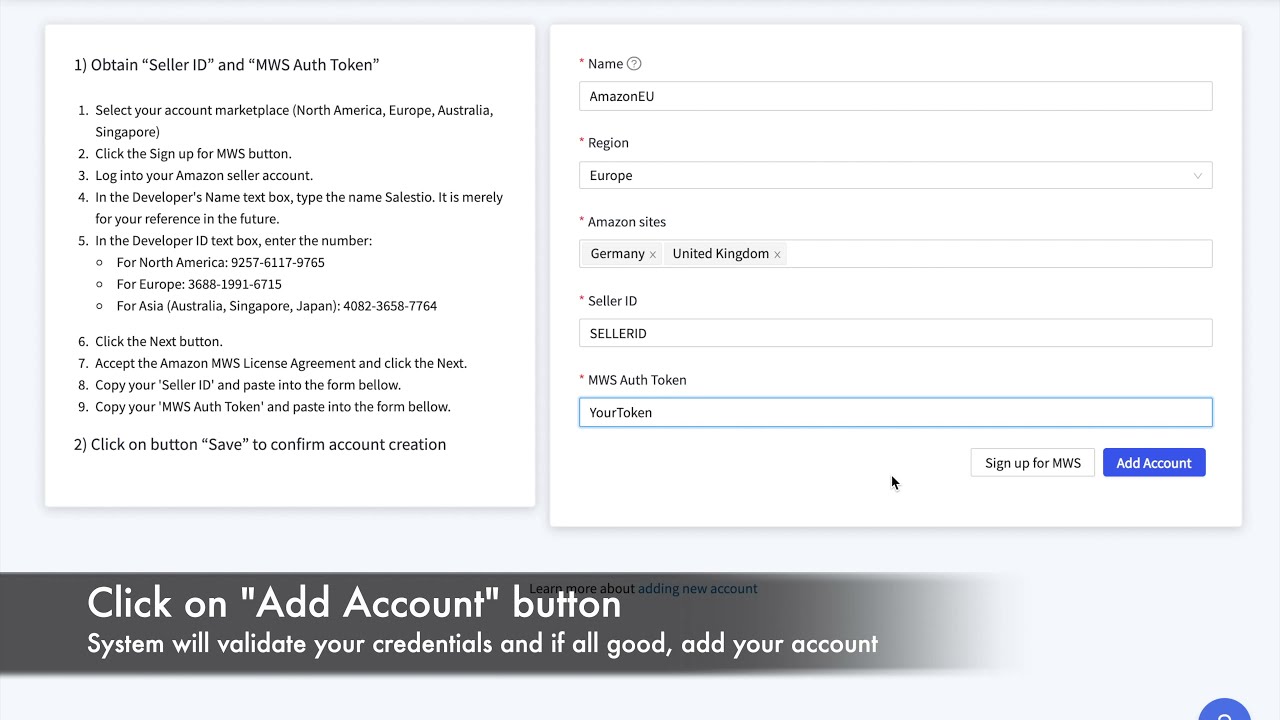
BigCommerce merchants reach the app from a different admin, so this recording repeats the account setup with the BigCommerce screens in view. The Amazon side is identical, using the same Seller Central approval, but seeing your own admin removes the guesswork.
Once the account is connected, everything else in the Amazon topic applies unchanged. Linking existing listings, exporting new ones and importing orders behave the same way on every store platform.
What you will learn
- Where the Salestio app sits inside the BigCommerce admin.
- How to authorise an Amazon seller account from BigCommerce.
- That the marketplace-side steps are identical across store platforms.
Steps shown in the video
- Open the Salestio app from the BigCommerce control panel.
- Add a new Amazon account and pick the marketplace region.
- Approve access in Amazon Seller Central.
- Confirm the account is listed as connected in the app.


Watch next
 0:53
0:53
How to add an Amazon account to Salestio
The complete account authorisation flow in under a minute, from the Salestio accounts screen to an approved Amazon connection.
 1:14
1:14
Adding an Amazon account: Shopify Amazon integration manual
The account setup manual, including the prerequisite that catches merchants out: Amazon integration needs a Professional seller account.
 3:37
3:37
Connect Shopify products to existing Amazon listings
How to match products you already sell on Amazon to the matching Shopify products, so stock and price sync without creating duplicate ASINs.
Connect Amazon to your store
Start a free trial, authorise your seller account and link your first listings, following these videos on your own catalogue.
Where to go next
Prefer to watch on YouTube? Subscribe to the Salestio channel for new tutorials. youtube.com/c/salestio