



Why watch before you build
Connecting a store to a marketplace involves decisions that a feature list cannot answer: which account permissions Amazon asks for, what a creation profile contains, how a variation maps to an eBay listing, what happens when a category cannot be matched. These videos show those screens as they look, so you can estimate the work, find the step that applies to your catalogue, and avoid the configuration mistakes that cause failed exports later.
They are grouped by what you are trying to do rather than by product. Start from your goal, whether that is connecting an account, migrating existing listings, launching a print-on-demand store or resolving an export error, and watch only what applies.
Browse by topic
Each topic page explains what the workflow is for and who needs it, then lists every video that covers it.

Salestio Product Overviews
Short tours of Salestio on each store platform: what it connects, what it syncs, and what the app looks like from inside your store admin.
Watch the series
Salestio Webinars
Recorded live sessions where the Salestio team configures the app from scratch, sends real products to a marketplace, and answers questions from attendees.
Watch the series
Amazon Integration Videos
Connect an Amazon seller account, link listings you already have, and bring your existing Seller Central inventory under store control.
Watch the series
eBay Integration Videos
Move active eBay listings under store control, import eBay products into your catalogue, and build reusable eBay description templates.
Watch the series
Etsy Integration Videos
Connect existing Etsy listings to store products, create Etsy listings with variations, and keep handmade and print-on-demand inventory aligned.
Watch the series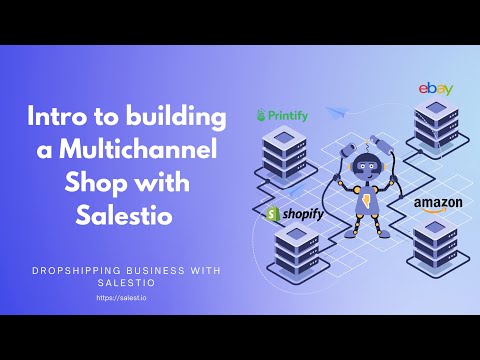
Printify Print-on-Demand Series
A thirteen-part series that builds a print-on-demand T-shirt business from nothing: Shopify store, Printify designs, then Amazon, eBay and Etsy through Salestio.
Watch the series
Listing Data & Troubleshooting
The details that decide whether an export succeeds: category mapping, per-product price and quantity overrides, and using store metafields as listing attributes.
Watch the series
PrestaShop eBay Integration (PrestaBay)
The PrestaBay module manuals: assign an eBay account, build selling lists, list variations, run bulk flash actions and import eBay listings into PrestaShop.
Watch the seriesLatest videos
The most recent walkthroughs published on the Salestio YouTube channel.
 3:52
3:52
Salestio for Ecwid: sell on Amazon, eBay and Etsy
How Ecwid merchants export products to Amazon, eBay and Etsy, import marketplace orders back, and keep inventory aligned across every channel.
36:50
Webinar: Selling Products view and Sync Rules
A thirty-seven minute session on bulk product management: adding Shopify products, setting listing data, configuring Sync Rules, and choosing between Selling Products and Selling Lists.
 27:45
27:45
Webinar: send Shopify products to Etsy
A complete Etsy setup in twenty-eight minutes: connect the account, build a Selling List, set price and quantity rules, map categories, add attributes and send the products.
 23:50
23:50
Webinar: send Shopify products to eBay
The first session in the series: an eBay account connected from scratch, item specifics and categories mapped, a description template applied, and products sent in real time.
 3:34
3:34
Import eBay listings into Shopify with Product Import
The reverse direction: turn an existing eBay catalogue into Shopify products, so sellers who started on eBay do not retype their catalogue.
 5:12
5:12
eBay description templates in Salestio
Build a reusable HTML description template, insert store fields as placeholders, and update your whole eBay catalogue's presentation with a single edit.
How to use this library
New to marketplace selling? Start with the product overview videos to see what the integration does end to end, then watch the topic that matches your first marketplace. If you already sell on Amazon, eBay or Etsy and are moving to Salestio, go straight to the videos on linking existing listings. That step decides whether your history, reviews and ranking carry over.
Every video page carries a written summary, the steps shown on screen, and links to the matching blog article or documentation page, so the library works whether you prefer to watch or to read. The recorded webinars go further and cover a complete setup in one sitting.
Video library FAQ
Ready to try it on your own catalogue?
Start a free trial and follow any of these walkthroughs step by step with your own products, on your own store.
Where to go next
Prefer to watch on YouTube? Subscribe to the Salestio channel for new tutorials. youtube.com/c/salestio