12 Dec'25





The Product Import app is helpful for moving your existing eBay inventory into Shopify and synchronizing the stock updates from the marketplace. In this article, we will share the steps for both processes: importing the items and setting up the quantity sync.
Connect an eBay account
Connect your marketplace account to let Product Import pull the information about the listings. To get started, click “Connect eBay Account” on the Dashboard:
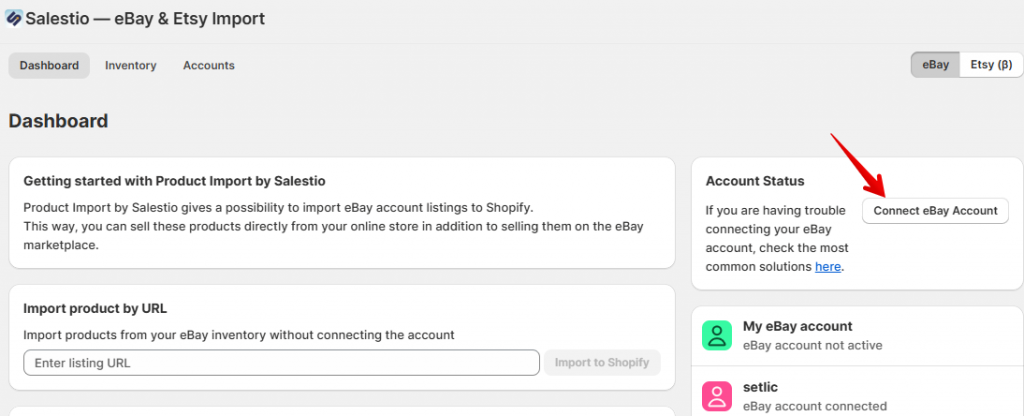
Enter your account name (only the app will use this name) and click Add Account at the top. After this, log in to eBay to allow app permissions.
Import the eBay listings
After the marketplace account is connected, you can retrieve the inventory list from eBay. Start by clicking “Download Inventories” from the Inventory tab and selecting the connected account.

After a few minutes, the Inventory tab will display the list of your eBay products. Select the ones that you want to import and click Create Products at the bottom.
Each new product uses 1 import credit. You can gain import credits by purchasing packs from the Dashboard > Subscription Status section.
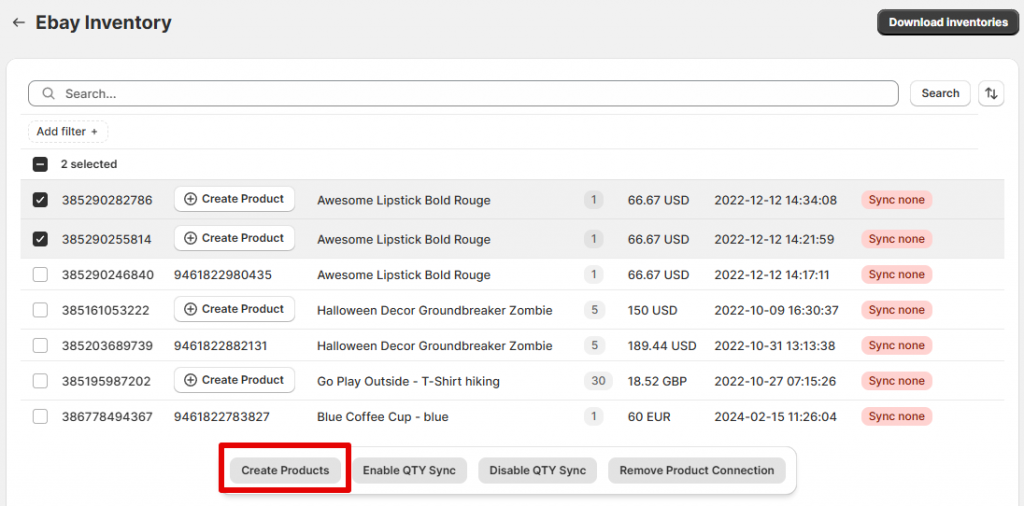
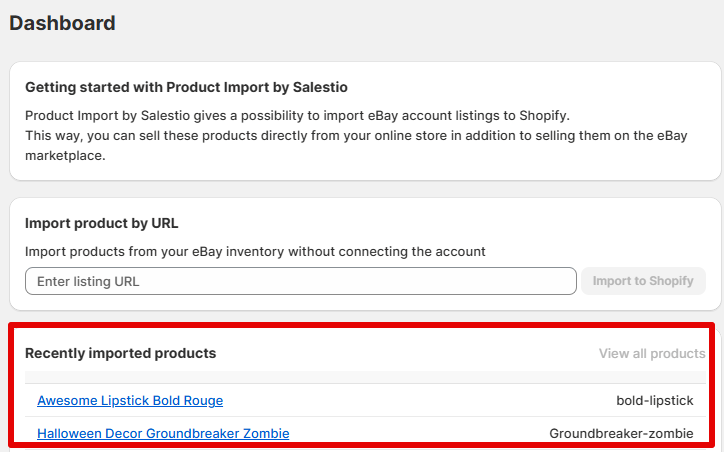
And done! The importing will continue in the background until all selected products have been created in Shopify. To check the progress, see the latest entries on the Dashboard. The Recently imported products section lists the links to the product pages in your Shopify store. Click the items to see how they look in Shopify:
Import by URL
An alternative method to create products in Shopify is by using the direct link to the eBay product page. Paste the link on the Dashboard and click Import to Shopify:

Quantity sync is unavailable for items imported by URL. Please use the Inventory tab for importing products that you want to sync.
Enable quantity synchronization
After the products are imported, you can enable quantity sync for them. Go back to the Inventory tab to see the list of products. Select the items and click “Enable QTY Sync” from the quick actions:
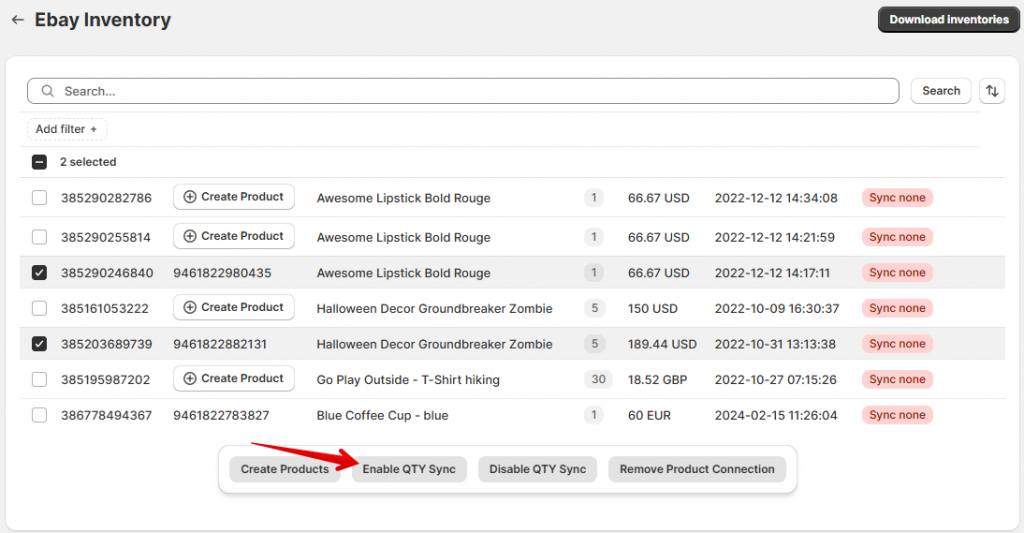
After enabling some of the products, the “Sync none” badge on them will change to the green “Sync QTY”.
The number of items available for quantity sync is set by your monthly plan. Pick your plan with the appropriate sync limit from the Dashboard > Subscription Status section.
FAQ
Can the app sync products from Shopify to eBay?
The Product Sync app is designed to sync information from eBay (or Etsy) to Shopify. To set up the sync from Shopify to marketplaces, check out Salestio: Shopify App Store
Salestio offers a wide range of tools to configure the sync, and it offers the option to import the marketplace orders to Shopify. Get started with the guide below:
Connect Shopify products to existing eBay listings
Can I synchronize prices?
Currently, the app synchronizes only quantity updates. If you would like to see price sync or other features, feel free to message the team at support@salest.io and leave a suggestion! The team will prioritise adding the most requested features to the app.
How many items can be synchronized?
Product Import can receive updates for up to 15000 items from eBay. This is the current limit of how many items eBay can send to third-party apps.
In addition to eBay, the app can import and sync your Etsy inventory. Check out the guide below, which is more focused on the Etsy-related features:
Etsy Integration for Product Import
Check out Salestio — eBay & Etsy Import on the Shopify App Store to keep your Shopify inventory in sync with the marketplaces.