27 Mar'26





This article recaps the new features and improvements across the projects of the Salestio team. If you want to see any specific features in Salestio, feel free to share your ideas with us: support@salest.io
Recent livestream: Selling Products view and Sync Rules
Check out our latest livestream on YouTube below. This time, we focused on the recently introduced Selling Products view. Here are the main points this time:
- Add Shopify products to Salestio.
- Set up Listing Data for single products.
- Configure Sync Rules for products in bulk.
- Send products and review the details.
- Selling Products vs Selling Lists: which one is better in your case
Product View updates
The new Selling Products view keeps receiving improvements:
- Product entries now include images to make them more easily identifiable.
- Added a refresh button at the top.
- Reworked the Listing Data forms to make them more compact.
- Bulk action buttons now always stick to the top of the page.
New features in Shopify
Users of the Shopify Salestio integration can find the new features already in the app:
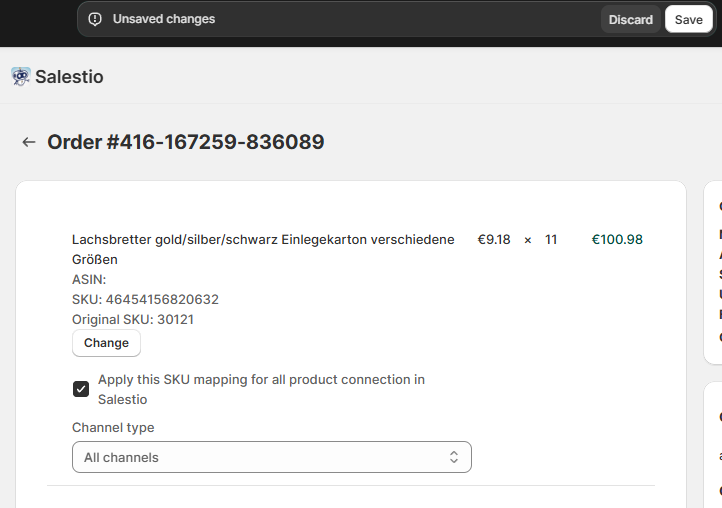
- Map SKUs directly from the order view page
After adjusting the target Shopify product in any imported order, you can now quickly add an SKU mapping. This way, your changes will apply to any future orders. You can find all of your previously saved mappings in Salestio > Profiles > SKU mappings.
- More Shopify-specific fields are now available as variables in the Creation Profiles. The new fields include compare-at-price, unit price, and more.
- Implemented a custom request: set eBay VAT percentage based on the customer’s Country. Reach out to support@salest.io if you want to enable this for your store.
Updated Salestio Plans
New subscription plans are now available for all Salestio users to choose from. Previously, Salestio used GMV for order limits. The new plan tiers are based on the total order count, regardless of value. You can switch to one of the new plans from the Salestio Dashboard > Change Subscription:
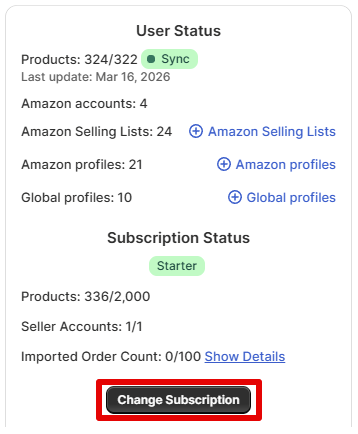
Previous Salestio plans remain unchanged, and users are free to stay on their current plan.
PrestaBay: SKU mappings
The eBay PrestaShop module introduces SKU mappings. If you have some eBay inventory with a non-matching SKU in PrestaShop, now there is an option to match them in the app. To set this up, make a CSV file with 2 columns: SKU in your shop and SKU on eBay (we suggest using a spreadsheet app to make things easier).
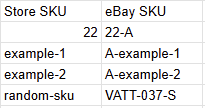
Upload your table on the Configuration page in the module, and the mapping will apply to all future orders.
Note: SKU mappings apply only for order synchronization.
Preparing for the Ecwid app release
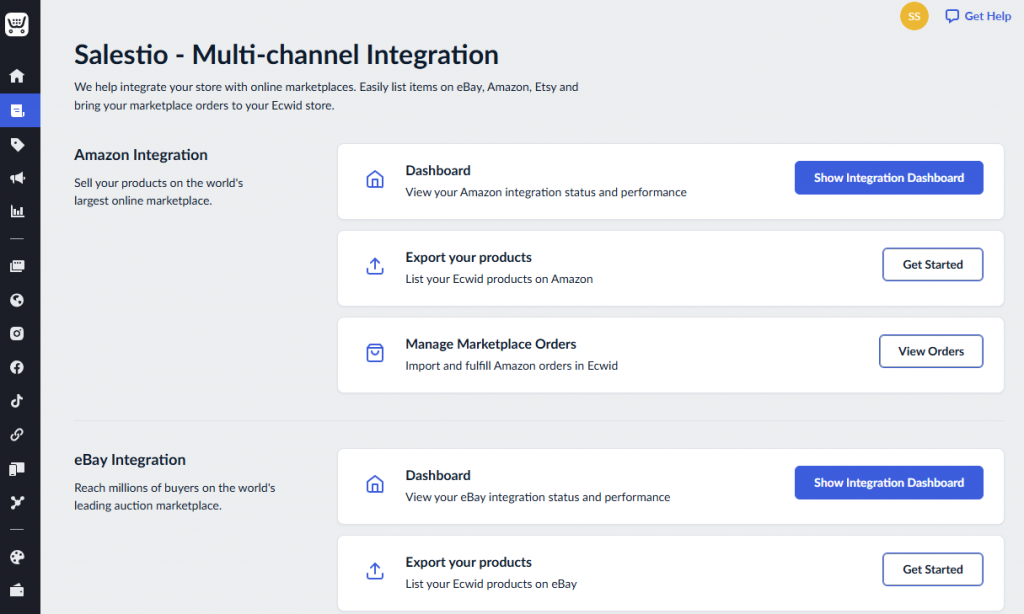
The team focused on preparing the Ecwid Salestio app for release in the last few weeks. The app will support Amazon, eBay, and Etsy integrations from the start. Subscribe below to be the first to try the Ecwid release!
Ecwid Integration
Upcoming integrations
Check the links below to get notified when Salestio supports more platforms:
If you are new to Salestio, check out the FAQ pages for Amazon, eBay, and Etsy integrations. See if the app is available for your store and get a Free 30-day Trial.