05 Dec'25




If you have been actively selling on Etsy and now want to connect Shopware products to your Etsy inventory, Salestio has an easy way to do so. In this article, we will go over the process and explain the related customizations.
Before proceeding with any of the steps below, connect the Etsy account to Salestio. This can be done in Salestio > Accounts tab.
To successfully connect the items between platforms, the products must have matching SKUs. Please make sure that the Etsy listings have the same SKUs as your Shopware products before continuing with the guide.
This guide is designed for sellers who already have an active inventory on Etsy. If you want to publish new items on Etsy through Salestio, check out the general article below:
Key Salestio features in Shopware
Create a Selling List
Creating a customized Selling List is a helpful step to organize the products inside the app. This is an optional step, but there are a few upsides to manually setting up the Selling Lists:
- Option to set different quantity and price synchronization rules for different product groups. The default settings in Salestio use the current Shopify price and quantity, which can be customized individually for each of the Selling Lists. You can add multiple Selling Lists that contain different product groups and specify custom quantity/inventory sync rules for each of them. Check the guides below to learn more:
How to set up Custom Pricing Rules
How to Manage Listing Quantities with Salestio - Possibility to connect existing listings with Shopware and publish new products to Etsy at the same time. For example, you can add all desired items to a Selling List, link the existing products, and run the “Send to Etsy” action for the rest of the items.
- The convenience of sorting different product categories into different Selling Lists can make it easier to view and manage the products.
If you skip creating a Selling List at this step, Salestio will automatically create a “Migrated…” Selling List when syncing the products.
Download the inventory list from Etsy
Before linking the items, we must retrieve the available Etsy listings on the account. Go to Salestio > Inventory tab and click “Download inventories” to get started. When multiple accounts are connected, they will appear as selectable options. Select the target account and click “Download”.
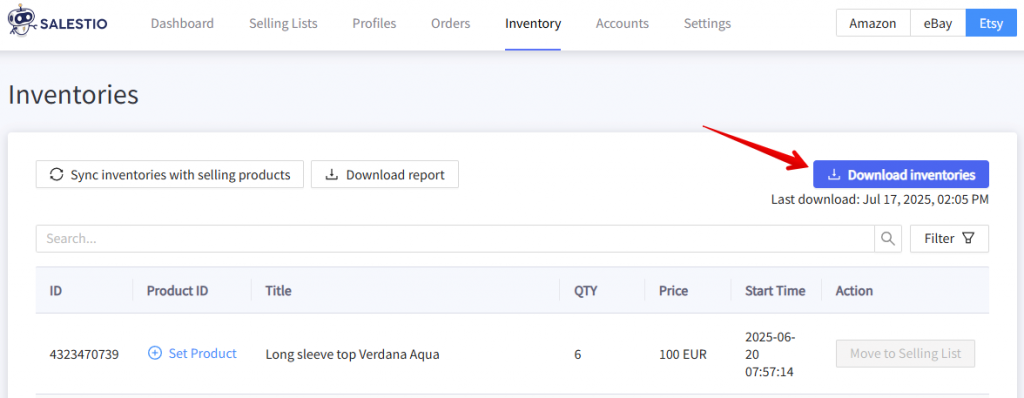
Depending on the product count in your Etsy account, it may take 30 to 60 minutes to display all of the products on this page.
Salestio connects the items based on the SKU match between the platforms. Please make sure that Etsy and Shopware items have the same SKUs before the next step.
Connect the items and review the results
When linking the inventory, you can connect all items at once or process them individually. During this process, Salestio will automatically link the Etsy listings with Shopware products based on the SKU match and move them to a Selling List if they were not added earlier.
Connecting single items
To link a single item from the Inventory list, click the Move to Selling List button, then select the target Selling List. Salestio will place the item in this list and set the status to Linked.
Connect all items in bulk
To start the connection process, click the Sync inventories with selling products button in the Inventory tab. Select the target Etsy account and marketplaces and start the sync. Initial quantity and price sync will start automatically when linking products through the “Sync inventories…” action.
Review the Selling Lists
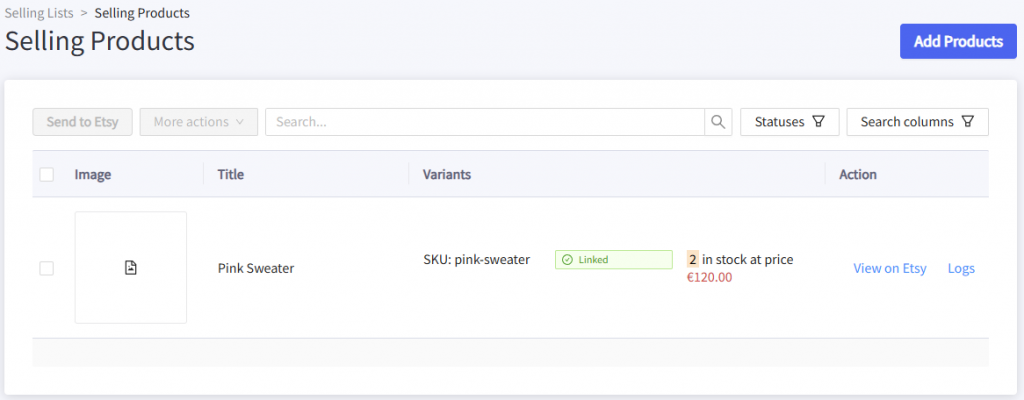
Check the results in the Selling Lists tab. If you had any preexisting Selling Lists, the items will remain there, but the status will change to “Linked”. It means that the connection between Shopware and Etsy products is established, and Shopware stock and prices will be synced to Etsy. If Salestio finds some items that were not in any of the Selling Lists, they will appear in an automatically created one called “Migrated for account_name”.
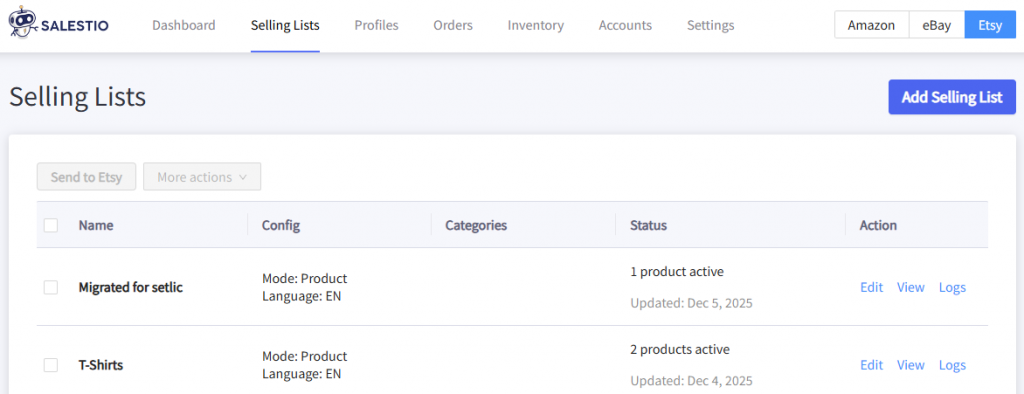
Salestio will automatically sync the quantity and prices for all connected items through the “Sync inventories with selling products” action. After the items are “Linked”, the app will keep updating price and stock changes from Shopware to Etsy according to your Salestio settings.
Check the inventory report
Salestio features an extra tool for checking the connection status of your items. Here are the quick steps to use it:
- Go to Salestio > Inventory tab and click “Download inventories” to get an updated product list
- Click “Download report”
- Explore the file using a spreadsheet viewer of your choice
See the “Linked” column in the file. If any of the Etsy listings were not connected, it will be indicated here.
Learn more: Synchronization Report in Salestio
Possible errors
Depending on the app and Etsy account configuration, some steps might not go as planned. Let’s review the possible cases.
Products are missing from the Inventory tab
Salestio downloads the items only from the selected accounts. This is important to keep in mind when linking the listings.
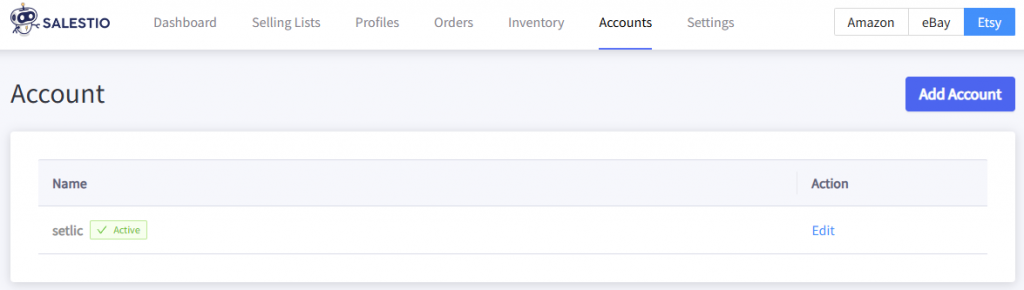
Check the account connection in Salestio and ensure the connection. Properly connected accounts will have an “Active” badge. If an account shows up as Expired or has another status, try reconnecting it. Select the account in the list > click “Save Account” at the bottom to reconnect.
Some items remain Not Linked
To link the items, Salestio checks if the SKU and account match. Please try the steps below to find out the issue:
- Check if the SKU matches for the Etsy – Shopware item pair. If the SKUs are different, adjust the SKU directly on the Etsy or Shopware product page and try linking again.
- Check if the correct account is selected in the Selling List. This can be viewed from the Selling Lists tab. For example, if the product was previously placed in a Selling List with Etsy account A, then linking inventory from Etsy account B will not change the status. In this case, Salestio will place it in an automatic list called “Migrated for Etsy account B”.
Account selection is locked after a Selling List is created. To select something different, please create another Selling List.
Salestio assists the sellers in integrating an already running Etsy store into the Shopware inventory management. By following the steps from this guide, you can sync the two platforms in a few simple steps. Don’t have Salestio yet? Find the app on the Shopware Store and start a Free 30-Day Trial.