16 Oct'26

 Deutsch
In today’s article, we will go over the Salestio tools that help with monitoring and resolving errors. Keep reading to learn more about dealing with synchronization issues.
Dashboard reports
Shopify users can check out the available reports from the Dashboard: in the Critical Events section or the status counters.
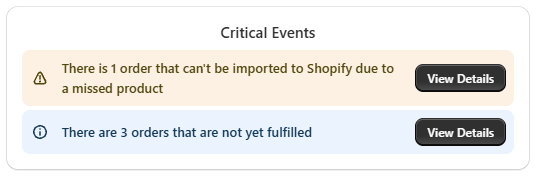
Critical Events
This section appears only in situations when there are any product syncing or order importing issues that require your attention. Click View Details on the Dashboard to see more about product or order errors. You can press Hide on any errors in the list to ignore them.
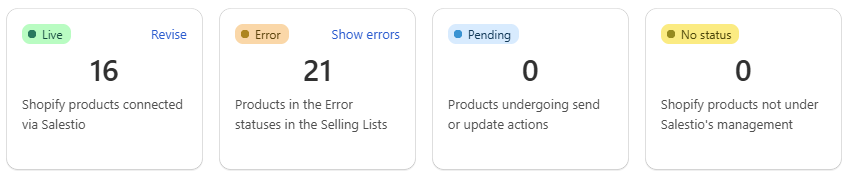
Error counter
The product counters on the Dashboard show stats for the current marketplace. To quickly get to the details, click Show errors and pick the Selling List. You will be automatically redirected to the Selling List with appropriate status filters applied.
Product sync errors
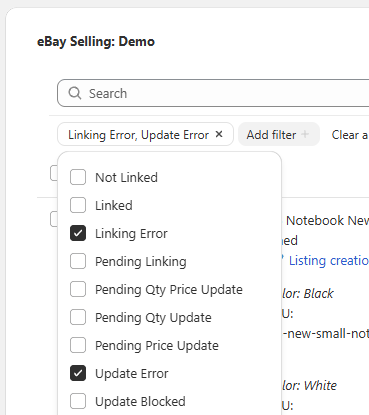
To learn more about issues with product sync, open the Selling List and check the items with an error status. You can apply status filters to find such items quicker.
As mentioned earlier, Shopify users can jump to a specific Selling List with filters applied from the Dashboard.
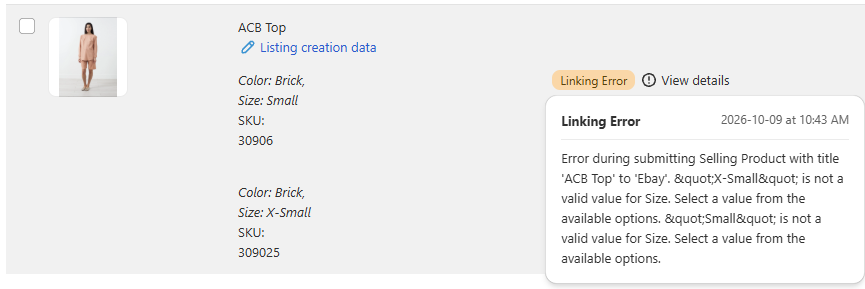
For an overview, click View details on your item. This displays details about the latest event and potential solutions. To see all recent messages for the item, click Logs instead.
For detailed steps on different error messages, check out the guides for Amazon, eBay, and Etsy integrations.
Order errors
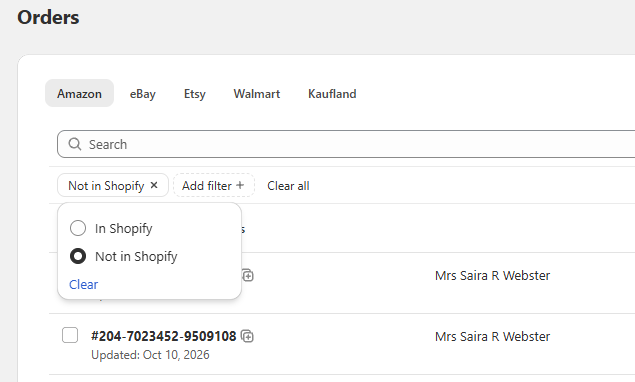
To get more details about the errors with a specific order, go to Salestio > Orders tab and find the corresponding ID in the list. To get an overview of all unimported orders, use the Import status filter:
Recent updates and errors appear in the Timeline. Open an order and scroll down to learn more:
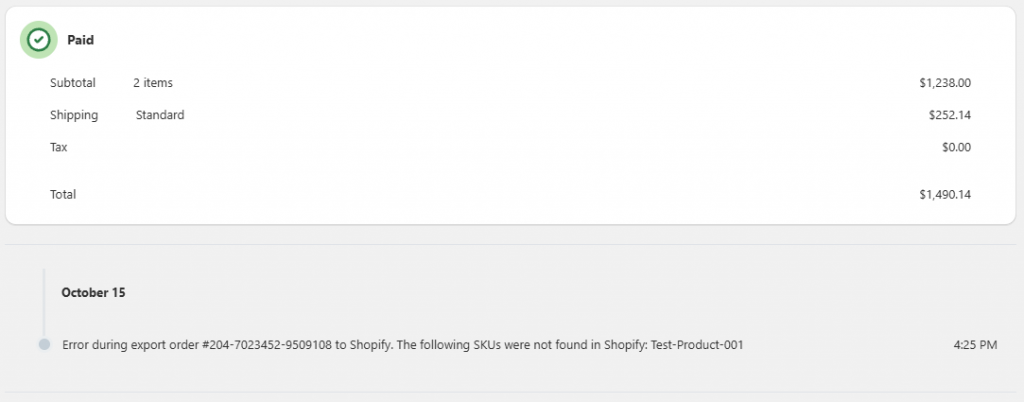
One of the most common errors indicates The following SKUs were not found in Shopify. See the SKU Mapping article for quick steps to deal with issues like this, or check out the full guide to order processing.
Enable notifications
By default, all synchronization records stay within the app. Enable email notifications in Salestio > Settings to stay updated when your products need attention.
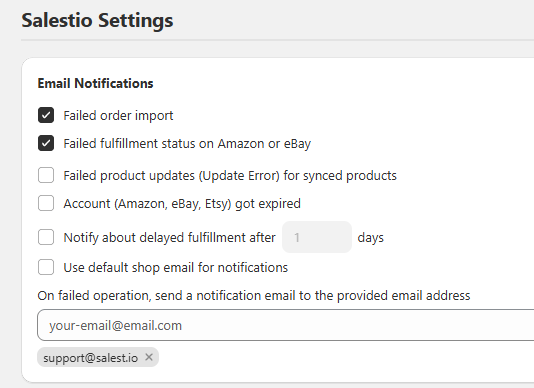
Full article: Notifications in Salestio
Salestio helps to centralize order management in Shopify and improve efficiency with inventory updates. See if the app is available on your platform and get a free 14-day trial.